
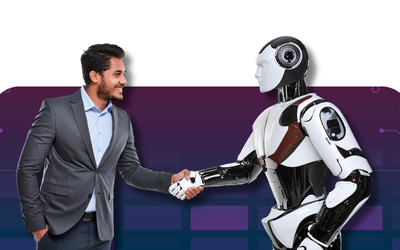





Build Your First Autonomous Robot — From Wheels to Vision to AI.

4,200+ school students trained across 6 cities

70% Practical • 30% Theory — strict ratio

Industry-mapped capstones (Agri • Mfg • Defense • Transport)

GitHub portfolio + Certification ladder

Pathway into the college-level Embedron program
Program Highlights
Start Your Learning Journey With Confidence
- Course Overview
- Course Objective
- Learning Outcomes
- Who This Course Is For
- Course Features
- Industry & Job Connect
Most school students who say they love robotics have only built kits with pre-written code. Module 3 of Electrobot Senior is built for the next step — the moment a curious learner becomes a real engineer.
Over 45 carefully sequenced days, students move from assembling a 4WD chassis to writing closed-loop PID controllers, from blinking LEDs on a <a href="https://www.raspberrypi.com/">Raspberry</a> Pi to training a custom machine learning model on Edge Impulse, and finally to building an autonomous robot that uses a camera, vision algorithms, and safety sensors to follow an object in real time. Nothing in this program is theoretical for the sake of theory. Every concept is delivered as a working circuit, a piece of code that compiles, or a behavior that can be filmed and shown to a panel.
Real-World Use Cases Covered
• AI-driven crop health scouting on small farms
• Vision-based color and shape sorting on factory conveyors • Mobile surveillance and perimeter-patrol robots for premises security • Object-following service robots (luggage, shopping cart, follow-me units) • Pet-companion robots with remote camera streaming • Gesture-controlled accessibility robotics
Why this module matters
Robotics and AI vision are the two technologies that quietly run modern life — they sort parcels at Amazon warehouses, inspect circuit boards at Foxconn, fly delivery drones in Bengaluru, and assist surgeons in Chennai hospitals. Yet most Indian schools still treat robotics as a side activity. Electrobot Senior treats it as core engineering — taught with the same discipline a junior R&D engineer would experience on their first job.
Industry Relevance
The skills covered in this module map directly to four high-growth sectors. In agriculture, students learn the same vision-based crop inspection patterns that power precision farming startups. In manufacturing, they build the conveyor-sorting vision logic that runs in smart factories. In defense, they prototype patrol robots that mirror tactical surveillance units. In transport, the capstone robot .
From Beginner-Friendly to Industry-Grade
Students enter the module knowing Arduino, sensors, and basic IoT. They leave it confident in Linux on Raspberry Pi, fluent in Python for robotics, comfortable with computer vision pipelines, and capable of training and deploying their own ML model. The learning curve is steep — but every day starts with a working demo and ends with a working build, so motivation stays high.
By the end of Module 3, every student will be able to demonstrate measurable mastery across the following objectives:












Technical Skills
- Confident programming in Python 3 for embedded robotics.
- Linux fundamentals on Raspberry Pi — terminal, SSH, package management.
- OpenCV operations: HSV thresholding, contours, moments, bounding boxes.
- Edge ML workflow with Edge Impulse and TensorFlow Lite Micro.
- ROS Noetic publisher–subscriber pattern with hands-on examples.
- Motor control with L298N, encoder feedback, and PID tuning.
Practical Skills Acquired
- Wiring, soldering, and mechanical assembly of a 4WD robot chassis.
- Calibrating IR sensor arrays for reliable line-following at speed.
- Capturing, labelling, and curating image datasets for ML training.
- Live debugging with serial monitor, multimeter, and Pi logs.
- Designing 3D-printable brackets and mounts in Tinkercad / Fusion 360.
Industry Readiness




| Profile | Why this course is the right fit |
|---|---|
| School Students (Grades 9–12) | Curious learners who have completed Electrobot Junior or any equivalent Arduino and IoT foundation, and want to step into real robotics and AI. |
| STEM Olympiad & Hackathon Aspirants | Students preparing for national-level robotics competitions, Atal Tinkering Lab events, and India-wide AI challenges. |
| Engineering College Aspirants | Class 11 and 12 students building a portfolio for top engineering admissions where projects, GitHub repos, and demos carry weight. |
| Young Innovators & Future Founders | Students with their own product ideas who need the technical foundation and pitch framework to turn ideas into prototypes. |
| Atal Tinkering Lab Members | ATL coordinators and students looking for a structured curriculum that complements school-level robotics labs. |
| Homeschool & International School Learners | Students outside traditional curricula who want internationally-aligned, project-based robotics and AI training. |
| Aspiring Drone & AI Engineers | Students planning the next module (Drone Technology & Product Development) where robotics and vision are direct prerequisites. |
Who This Course Is Not For
This module assumes comfort with Arduino, breadboarding, basic Python, and willingness to debug for hours. Absolute beginners are warmly redirected to Electrobot Junior or the 7-day Bridge Bootcamp before joining Module 3 — it ensures every learner thrives instead of struggling.
| Feature | What you actually get |
|---|---|
| Live Projects | 15+ documented lab experiments, each modelled on real industry workflows. |
| 4 Industry Mini-Projects | Pet-companion robot, vision-sorting conveyor, surveillance patrol robot, AI crop inspector. |
| Capstone Build | Fully autonomous Object-Following Smart Robot with vision, PID, and safety sensors. |
| Hardware Kit Included | Raspberry Pi 4, Pi Camera, ESP32-CAM, 4WD chassis, motors, drivers, IMU, IR array. |
| Industry-Grade Software | Python 3, OpenCV, TensorFlow Lite, Edge Impulse, ROS Noetic, Gazebo, Git. |
| Personalized Mentorship | Mentor pods of 6–8 students per industry-experienced trainer. |
| GitHub Portfolio Setup | Every student leaves with a public GitHub profile and four polished repositories. |
| Certification Ladder | Certified Robotics & AI Vision Practitioner credential on capstone success. |
| Internship Referrals | Top performers are recommended through the Elysium Industry Partner Network. |
| Demo Day & Pitch Practice | End-of-module showcase with external mentor panel and parent audience. |
| LMS & Lab Logbook | Lifetime access to course resources, code repository, and digital lab logbook. |
| Community Access | Private Discord and alumni network for ongoing peer learning and challenges. |

Current Market Demand

Why Schools Are Adding Robotics to Core Learning
Salary Insights (Indicative, India)
| Role | Indicative Salary Range |
|---|---|
| Robotics Intern (College Stage) | ₹15,000 – ₹40,000 per month |
| Junior Robotics Engineer (0–2 yrs) | ₹4.5 – ₹8 LPA |
| AI Vision Engineer (1–3 yrs) | ₹6 – ₹14 LPA |
| Autonomous Systems Engineer (3–6 yrs) | ₹12 – ₹28 LPA |
| Robotics Tech Lead (6+ yrs) | ₹25 – ₹60+ LPA |
| Robotics Founder / CTO (Startup) | Equity + ₹0–₹40 LPA (highly variable) |
Hiring Industries
- Industrial Automation & Manufacturing (cobots, AGVs, vision inspection)
- Agritech (precision farming, autonomous spraying)
- Defense & Aerospace (surveillance, patrol robotics, UAVs)
- Automotive & ADAS (self-driving stacks, lane keeping, parking assist)
- Logistics & Warehousing (Amazon, Flipkart, DHL automation)
- Healthcare Robotics (surgical assist, eldercare)
- Consumer Robotics (vacuum bots, companion robots)
- EdTech & Research Labs

Job Roles This Module Prepares You For
- Robotics Engineer
- AI Vision Engineer / Computer Vision Engineer
- Autonomous Systems Engineer
- Edge AI / TinyML Engineer
- Machine Learning Engineer (Embedded)
- Robotics Software Developers
- ROS Developer
- Industrial Automation Engineer
- AGV / Mobile Robotics Engineer
- Robotics Research Assistant
- Drone Software Engineer
Career Pathway
| Stage | Program / Step | What it builds |
|---|---|---|
| Stage 1 — Beginner (Now) | Electrobot Senior Module 3 | Build foundational robotics, vision, and edge AI skills. Earn your first robotics certification. |
| Stage 2 — Intermediate | Electrobot Senior Module 4 (Drones) | Apply robotics knowledge to drones, PCB design, and full product development. |
| Stage 3 — College Entry | Elysium Embedron Program | College-level deep-dive into embedded systems, ROS, autonomous stacks, and industry projects. |
| Stage 4 — College Advanced | Embedron+ Specialization | Advanced robotics specialization with publishable research, hackathon wins, and live client work. |
| Stage 5 — Industry Ready | EmbedX Industry Program | Direct internship placement, real product modules, and recruiter-facing portfolio. |
| Stage 6 — Professional Role | Robotics Engineer / Founder | Full-time engineer, founder, or research scholar in robotics, AI vision, or autonomous systems. |
Future Roadmap
| Emerging Trend | What it means for students |
|---|---|
| TinyML & Edge AI | Tiny ML models running on $5 microcontrollers — already covered in Module 3 via Edge Impulse and TFLite. Expect dedicated TinyML tracks by 2027. |
| Humanoid & General-Purpose Robots | From Tesla Optimus to Figure 01, humanoids are entering pilot deployments. Robotics fundamentals from this module map directly into humanoid development. |
| Foundation Models for Robotics | Large vision-language-action models are being adapted to robots. Future Embedron+ tracks will integrate prompt-based robot control. |
| Swarm Robotics | Coordinated multi-robot systems for warehouses, defense, and agriculture. Module 3 introduces multi-robot ESP-NOW coordination. |
| Surgical & Healthcare Robotics | One of the fastest-growing specializations. Vision + precision motion control from this module form the technical base. |
| Autonomous Mobility | Self-driving vehicles, last-mile robots, drone deliveries — every one of these depends on the exact skills built in Module 3. |
| Sim-to-Real Training | Training robots in Gazebo, NVIDIA Isaac, and Webots before real deployment. Introduced here in Week 5. |
| Sustainable Robotics | Solar-powered, low-energy, repairable robotics — increasingly emphasized across Elysium tracks. |
Detailed Syllabus — Weekly Breakdown
Weekly Curriculum Map
| Week | Days | Theme | Concepts Covered | Key Practical Activity |
|---|---|---|---|---|
| Week 1 | Days 1–7 | Robotics Foundations | Robot anatomy, motors, drivers, kinematics basics | Manual 4WD robot build |
| Week 2 | Days 8–14 | Sensor-Driven Robots | Line-following, obstacle avoidance, PID introduction | Line-follower with PID tuning |
| Week 3 | Days 15–21 | Raspberry Pi Mastery | Linux basics, Python, GPIO, camera interfacing | Pi-based remote-controlled car |
| Week 4 | Days 22–28 | Computer Vision | OpenCV, color detection, contours, face detection | Color-tracking robot |
| Week 5 | Days 29–35 | Edge AI & ROS Intro | Edge Impulse, TFLite, ROS concepts, Gazebo basics | Gesture recognition + ROS demo |
| Week 6 | Days 36–42 | Robotics Capstone Build | Integration of vision + control + comms | Object-Following Smart Robot |
| Week 7 | Days 43–45 | Showcase & Assessment | Polishing, viva, presentation, peer review | Final demo day + portfolio |
Theory–Practical Time Split
| Component | Allocation | Activities |
|---|---|---|
| Theory | 30% (~27 min/day) | Concepts, robotics architecture, control theory, vision pipeline design |
| Practical | 70% (~63 min/day) | Hands-on builds, coding, sensor integration, debugging, capstone work |
Sub-Module 1 — Robotics Foundations
Topics Covered
Practical Exercises
Assignment
Learning Outcome
Industry Application
Sub-Module 2 — Sensor-Driven Robots
Topics Covered
Practical Exercises
Mini Project
Learning Outcome
Industry Application
Sub-Module 3 — Raspberry Pi Mastery
Topics Covered
Practical Exercises
Assignment
Learning Outcome
Industry Application
Sub-Module 4 — Computer Vision
Topics Covered
Practical Exercises
Mini Project
Learning Outcome
Industry Application
Sub-Module 5 — Edge AI & ROS Introduction
Topics Covered
Practical Exercises
Assignment
Learning Outcome
Industry Application
Sub-Module 6 — Robotics Capstone Build
Topics Covered
Practical Exercises
Capstone Deliverable
Learning Outcome
Industry Application
Module-Wise Documents (Sub-Modules)
Each of the six instructional weeks is treated as a sub-module with its own overview, topics, practicals, assignments, mini-project (where applicable), learning outcome, and industry application.
Curriculum Framework
Skill Progression Across the Module
- Week 1: Manual operation → Beginner robotics.
- Week 2: Closed-loop control → Intermediate robotics.
- Week 3: Linux + Python → Embedded software intermediate.
- Week 4: Computer vision pipelines → Vision practitioner.
- Week 5: Edge AI + ROS basics → Modern robotics fundamentals.
- Week 6: Full integration → Autonomous robotics builder.
Assessment Structure
| Component | Weightage | What is evaluated |
|---|---|---|
| Practical Lab Assessment | 30% | Daily logbook quality, build accuracy, debugging skill |
| Capstone Project Evaluation | 30% | Working prototype, code quality, demo, documentation |
| Viva-Voce | 15% | Oral examination on robotics, vision, and ML concepts |
| Assignments & Quizzes | 10% | Weekly mini-tasks and concept checks |
| Attendance & Participation | 10% | Engagement, peer support, presence |
| Innovation Score | 5% | Originality, added features, business thinking |
The 5-D Learning Framework
| Pillar | Activity | Outcome |
|---|---|---|
| Discover | Concept introduction through demos, videos, and real industry examples | Curiosity and context |
| Design | Block diagrams, flowcharts, and system planning | Engineering mindset |
| Develop | Hands-on building, coding, integration, and debugging | Technical skill |
| Deploy | Working prototypes, demonstrations, and field testing | Product mindset |
| Disrupt | Innovation cycles, peer critique, startup-style pitching | Entrepreneurial thinking |